 NeuroDynamic
 Available now
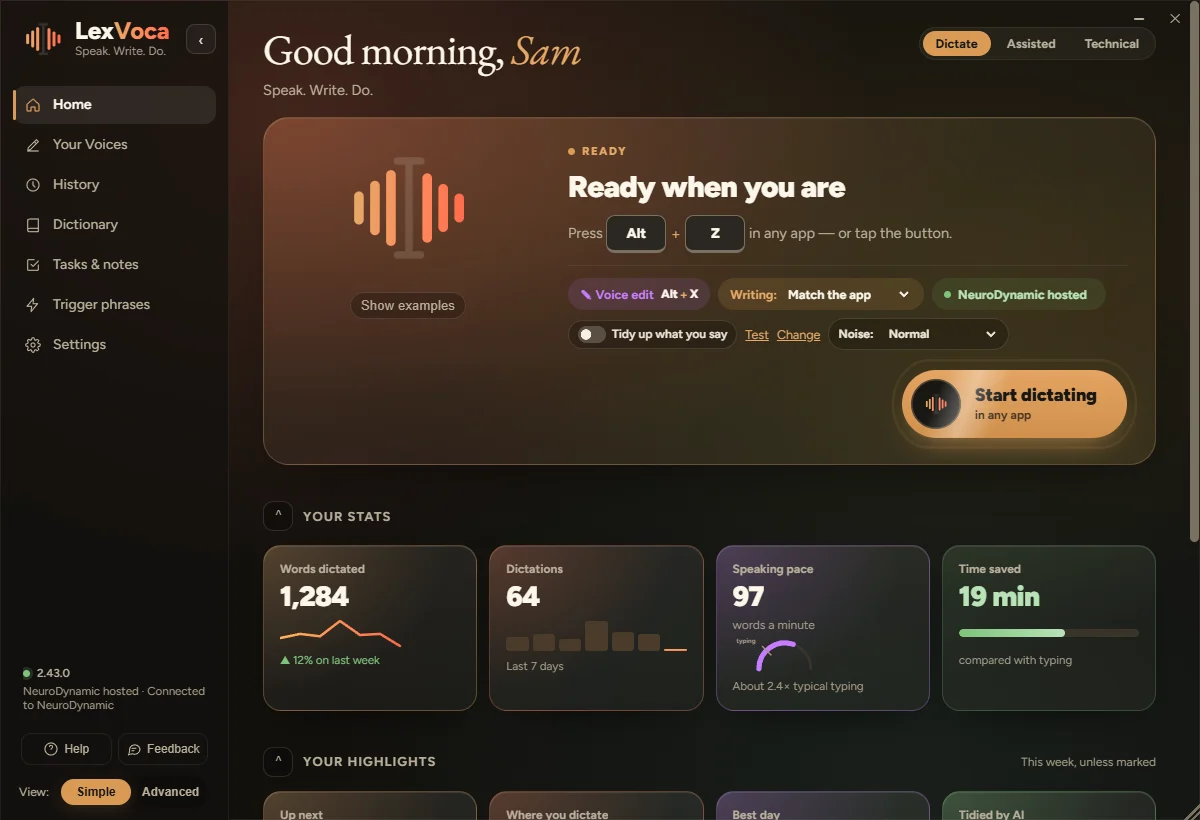
LexVoca
Speak. Write. Do.
- Dictate into any app, even consoles and VMs
- Your Voices: the right tone for each app
- Open, switch, note and remind, by voice
- Three profiles: Dictate, Assisted, Technical
Windows 11 · freeLinux in development
Free Windows apps for dictation, reading and ITNew LexVoca 2.40 →
Talk instead of typing, have anything read to you, and get IT problems sorted. Three free apps that do the work for you, and work together.
Free for Windows 11. Free account, no card needed. See the apps ↓
“um can you let the team know the launch is slipping to monday”
“the server move is booked for uh saturday morning”
“running five minutes late, start without me”
“backups now run at midnight, checked by Alex”
Wherever your cursor is.
To Product team
Server move
Starting in 2 mins
# Change log
“can you send me the figures by friday thanks”
One sentence. The right tone for each app.
Hi Sarah, could you please send me the figures by Friday? Many thanks.
Can you send me the figures by Friday? Thanks!
Please provide the figures by Friday.
“email signature”
Templates, links and standard replies in a couple of words.
“open my emails”
Sarah Figures for Friday
IT Service Desk Ticket 4471 updated
Marcus Lunch tomorrow?
Opened Outlook
“switch to Teams”
Lisa Morning! Any updates?
Teams, brought to the front
“show disk space”
alex@server:~$
Waits for you to press Enter
“voca paste”
or press AltShiftX
Clipboardsudo apt update && sudo apt upgrade -y
alex@ubuntu-01:~$
“note that the backup runs at midnight”
“remind me to call the dentist tomorrow at 10”
Send the invoice Today 17:00
✎ The backup runs at midnight Note
Call the dentist Tomorrow 10:00
⏰ Call the dentist · Now
Speak into anything you type in
Each does one job well. Together they share one sign-in and one set of keys.
Available nowSpeak. Write. Do.
Windows 11 · freeLinux in development
 Coming soon
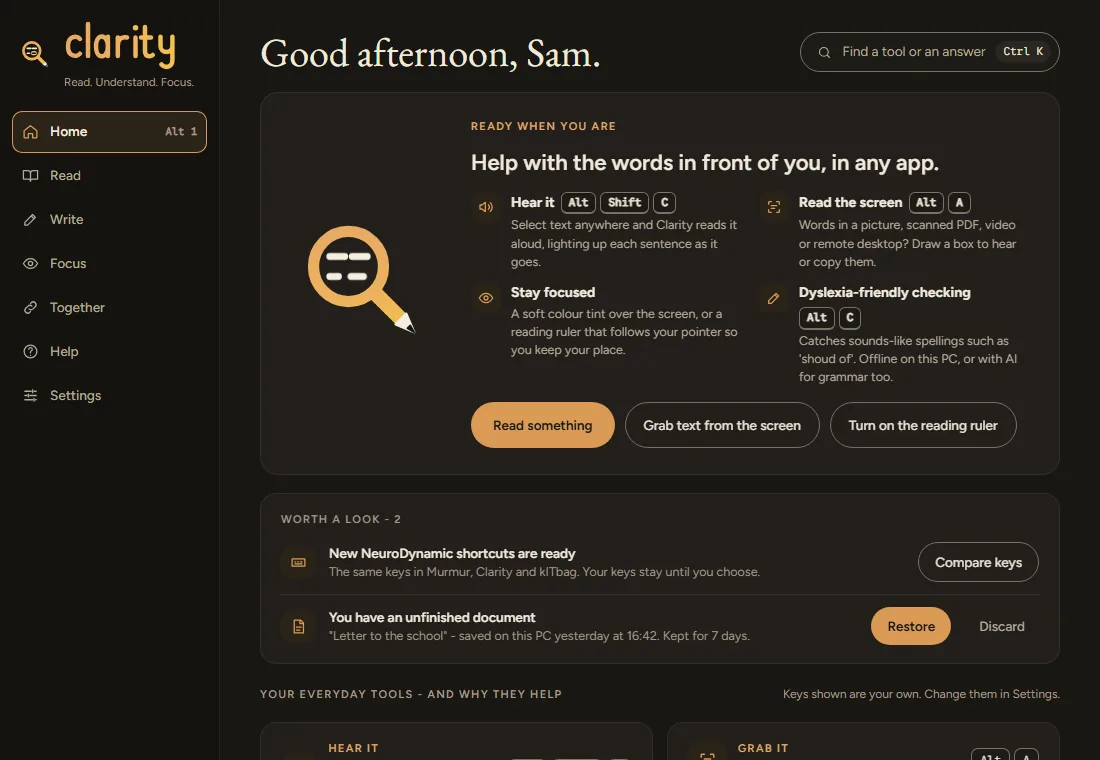
Read. Write. Understand.
Windows 11 · free
 Coming soon
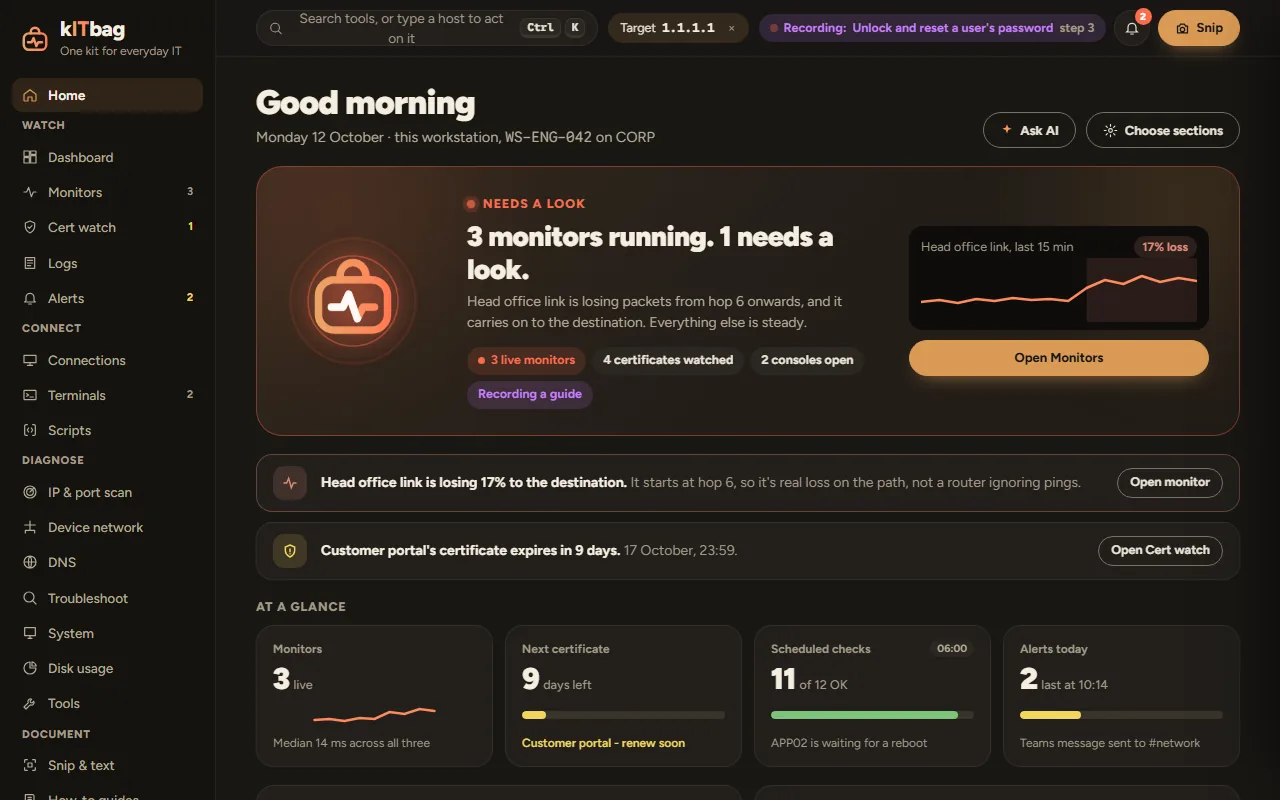
Watch. Analyse. Fix.
Windows 11 · freeLinux in development
Three things, and you’re set up in a couple of minutes.
All three apps run on Windows 11. Linux versions of LexVoca and ITSpecta are in development.
For LexVoca. Any microphone works; a headset gives the best results.
It carries your free AI allowance and keeps things fair. Why we ask
The same keys work in all three apps, in any program, and never clash. Learn one app and you’ve learned them all.
All three apps, with no card needed.
Hosted speech runs on NeuroDynamic’s own servers. Results are held briefly in memory so an interrupted request can be recovered.
Hosted speech and AI never go to an outside AI company. Or run speech on your own PC.
No cookie banner, because there’s nothing to agree to. One cookie keeps you signed in.
Who’s behind this
“Getting what’s in my head onto a screen always took me three or four times longer than it seemed to take everyone else. So I built LexVoca for myself. Now I rarely type.”
More than 25 years in IT infrastructure, with AI as part of the toolkit and a person checking every change. The apps solve problems from a real working day.
The AI runs on our own servers, which cost money to run. A small subscription will cover that. Rather run it yourself? Use your own speech server, free.
£6/month
Everyday dictation, plus the AI features in all three apps.
£10/month
For heavy users: higher limits, priority and translation.
£8/person
From 3 people. One bill, invoices and admin.
Paid plans are coming soon; today everything runs on the free tier. Founding places will be limited: join early and keep your price. Plans and pricing →
Learn
We spend a lot of our time building, testing and learning, and we share what we find. Step-by-step guides for every level: start with the basics, or skip straight to the technical projects. Built first, written second.
Yes. LexVoca types wherever your cursor is: Outlook, Word, Teams, your browser, even terminals, remote desktops and virtual machines.
It carries your free AI allowance and keeps it fair for everyone. Speech on your own PC needs no account.
Yes. The apps are free and the free account includes a monthly AI allowance. Paid plans will be optional.
Windows 11 today. Linux versions of LexVoca and ITSpecta are in development.
Choose Display (Aa) on any page to change colours, text size and spacing, use an easy-read font or a reading ruler, turn off movement, or have the page read aloud. Accessibility
Windows 11 · Linux versions of LexVoca and ITSpecta in development