ClaraVoca Coming soon

Reading and writing help for Windows 11, with NeuroDynamic AI

Read. Write. Understand.

Hear any text read aloud, even words in pictures. Check your writing the way it sounds, and make hard text easier to follow with NeuroDynamic AI. You approve every change. Free to start.

Four tools, one key each: Hear itGrab itCheck itEase it

Coming soon for Windows 11. Spelling on your PC is free with no account; NeuroDynamic AI comes with a free monthly allowance on your account.

ClaraVoca readerReading aloud

Reading at university can be beautiful. Take your time, and read one paragraph before moving on. ClaraVoca reads the words with you and keeps your place.

Helps with the words in front of you, in any app

Built with dyslexic and neurodivergent readers in mind, and useful for anyone who reads or writes a lot.

What it does

Read, write and listen. More easily.

Hold Alt and press one key, in any app. The screens below are from ClaraVoca 1.22 with example data.

Hear it

Any text, read aloud.

Select text in any app and press Alt + Shift + C. ClaraVoca reads it in a natural voice and lights up each sentence, so you can follow along and keep your place.

You selecta paragraph in a web pageYou get

It read aloud, sentence by sentence, at your speed.

Windows voices and downloaded voices work on your PC. Online voices are optional.
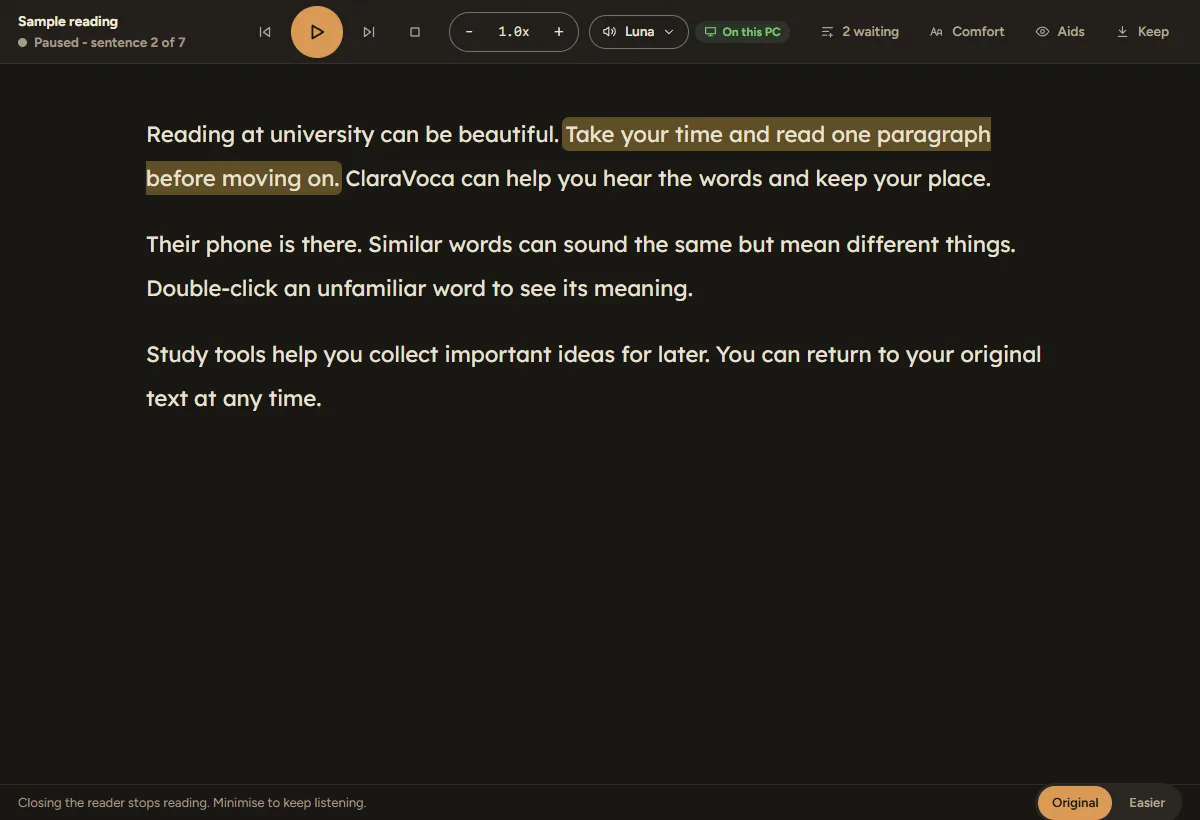
The ClaraVoca reader with a paragraph and the current sentence highlighted, and playback controls along the top
Example screen, ClaraVoca 1.22

Grab it

Words you can’t select.

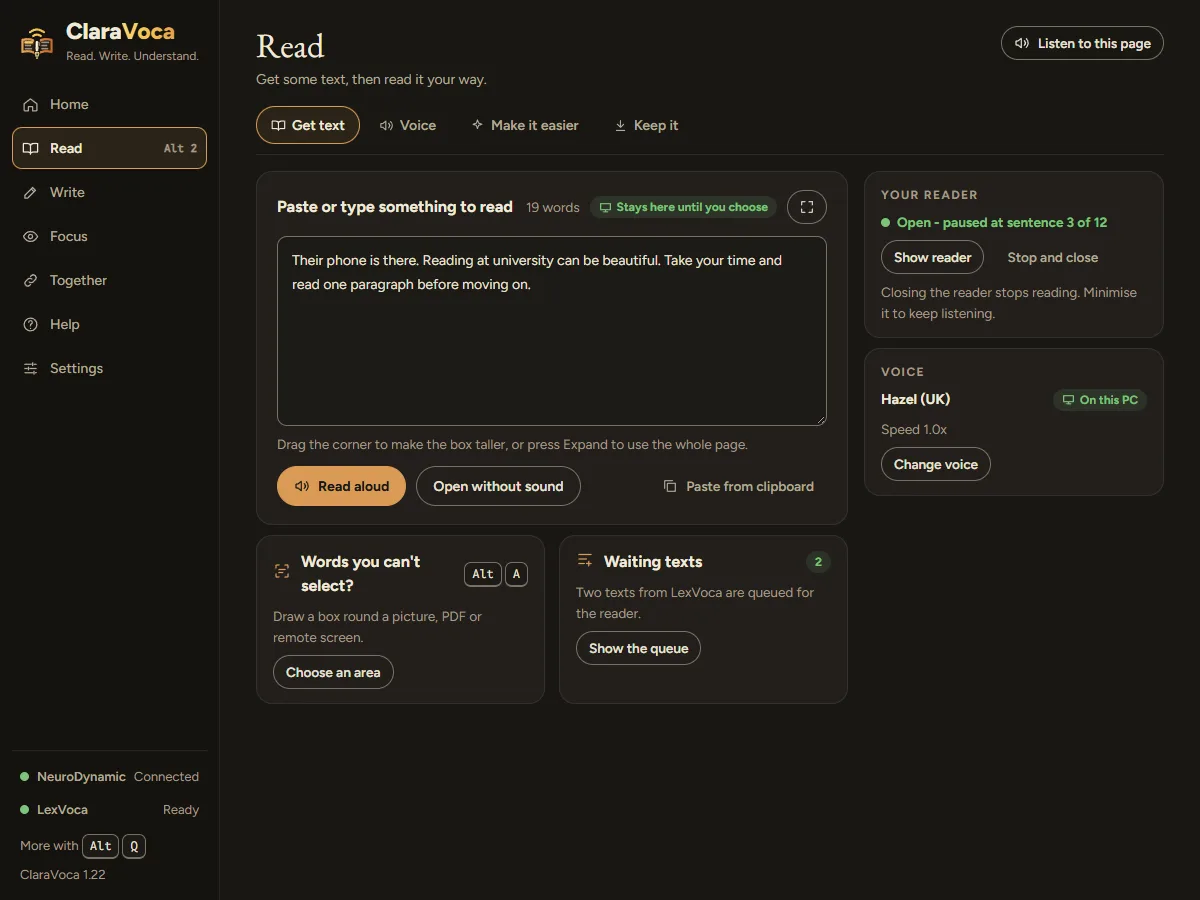
Words in a picture, a scanned PDF, a video or a remote desktop. Press Alt + A, draw a box, and ClaraVoca reads the words aloud or copies them for you.

You draw a box arounda scanned letterYou get

The text, ready to hear, copy or open in the reader.

Text recognition runs on your PC.

The Read page, with a box for pasted text, the reader status and a card for grabbing words you can't select
Example screen, ClaraVoca 1.22

Check it

Spelling checked the way it sounds.

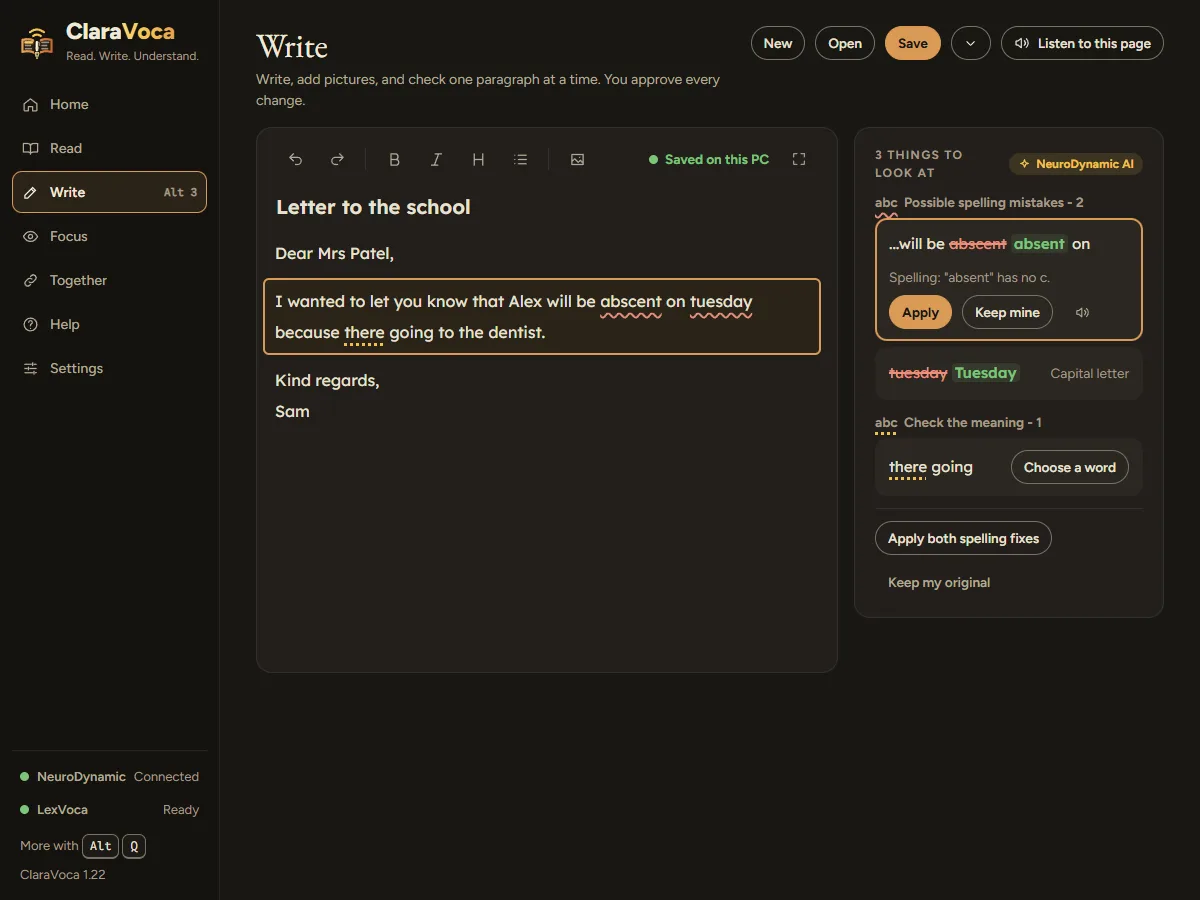
Everyday checkers expect small slips. ClaraVoca works out the word you meant from how it sounds, so “tuseday” becomes “Tuesday”. It checks the paragraph you’re in, shows each change side by side, and nothing changes until you choose.

You writeI no what you meenYou get

I know what you mean

Spelling works offline on your PC. Grammar and “check the meaning” use NeuroDynamic AI.

The Write page with a letter, the paragraph being checked outlined, and suggested spelling changes listed beside it with Apply and Keep mine
Example screen, ClaraVoca 1.22

Make it easier

Hard to follow? Read the easy version.

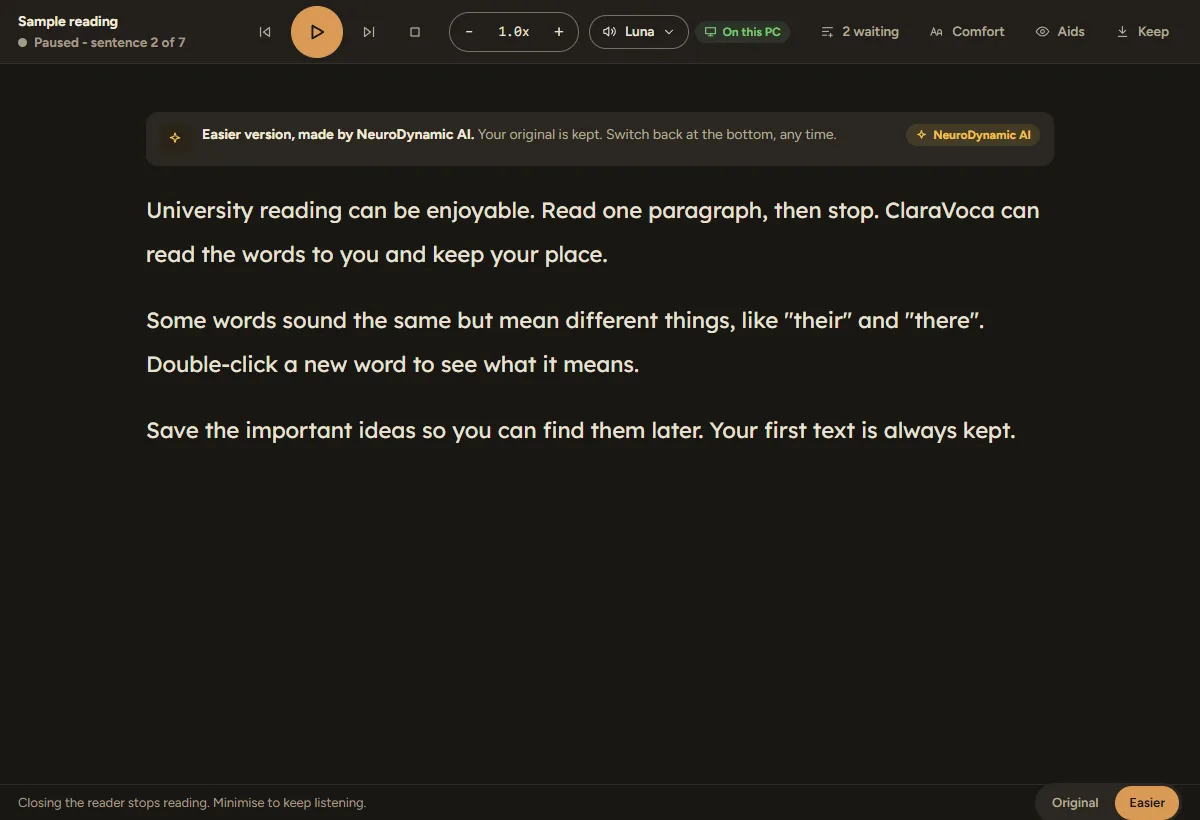
Dense or formal text, rewritten in plain words next to the original. Switch back to the original with one click; your first text is always kept.

You chooseEasierYou get

The same meaning, in shorter, plainer sentences.

Easier versions, summaries and translations use NeuroDynamic AI.

The reader showing an easier version of the text, with a switch between Original and Easier at the bottom
Example screen, ClaraVoca 1.22

Ease it

A calmer screen, and a ruler that keeps your place.

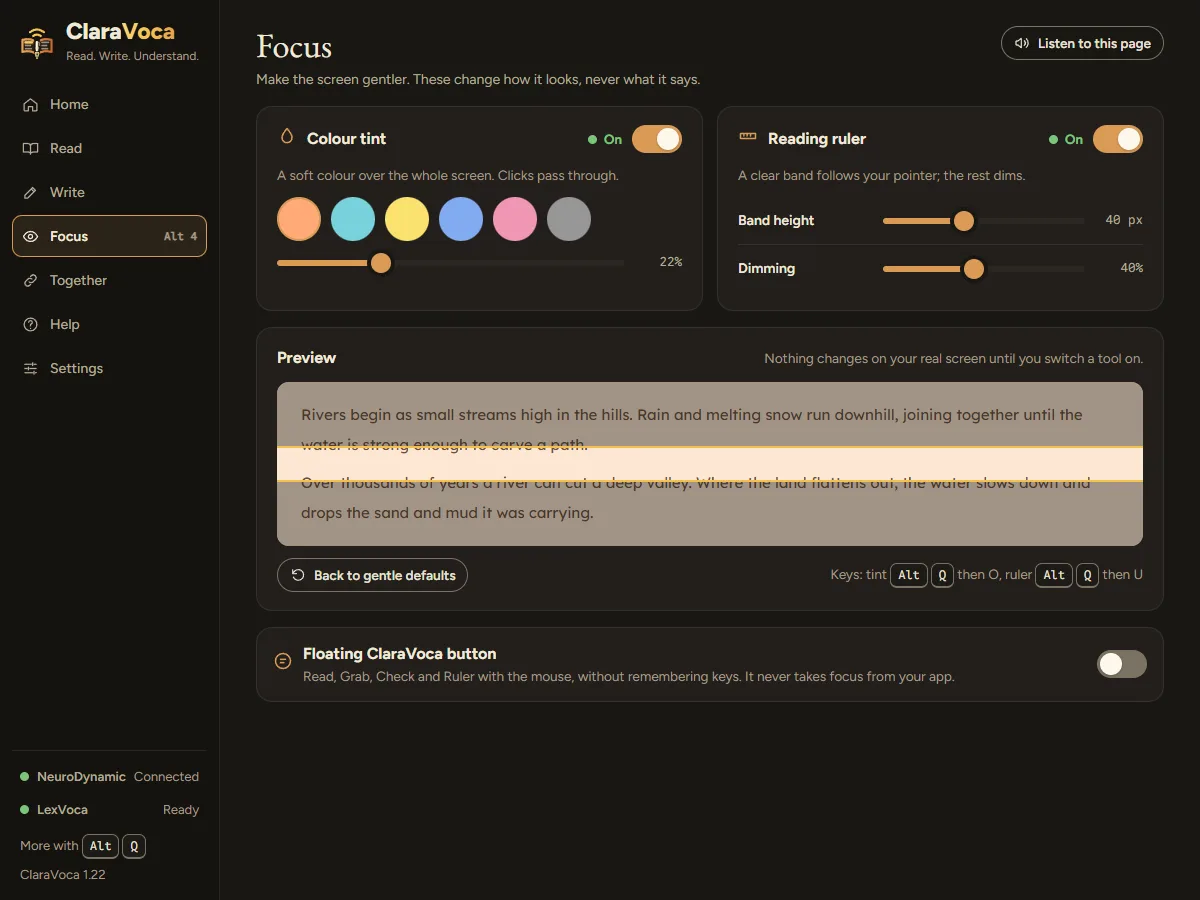
A soft colour tint over the whole screen, and a reading ruler that follows your pointer and dims the rest. Choose the colour and strength, and set your own key.

You turn onthe reading rulerYou get

A clear band on the line you’re reading, in any app.

The Focus page with colour tint swatches, reading ruler settings and a live preview
Example screen, ClaraVoca 1.22
See 3 more featuresReading aids, word meanings and working with LexVoca

Reading aids

One line, one paragraph, your way.

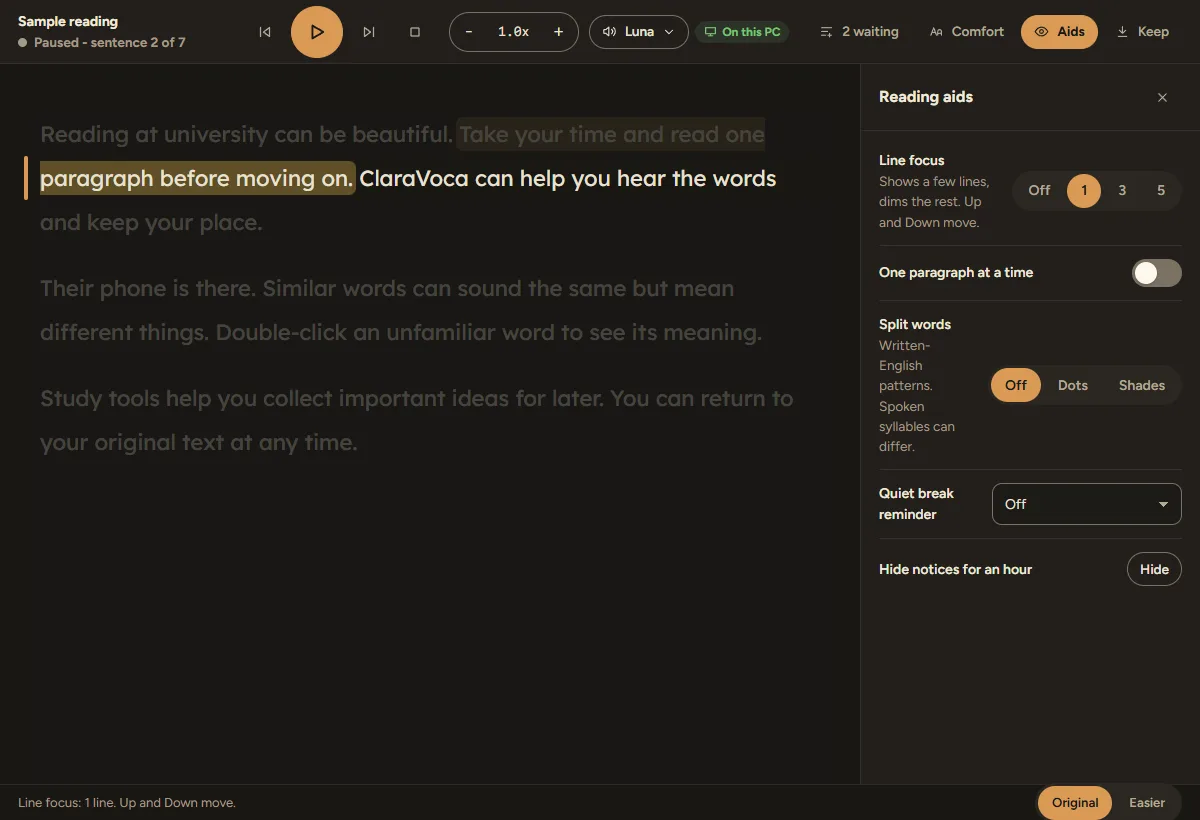
Line focus dims all but the lines you’re on. One paragraph at a time, split long words into syllables, and a gentle reminder to take a break.

The reader with line focus on, dimming all but the current line, and the reading aids panel open
Example screen, ClaraVoca 1.22

Look up a word

Not sure what it means? Double-click it.

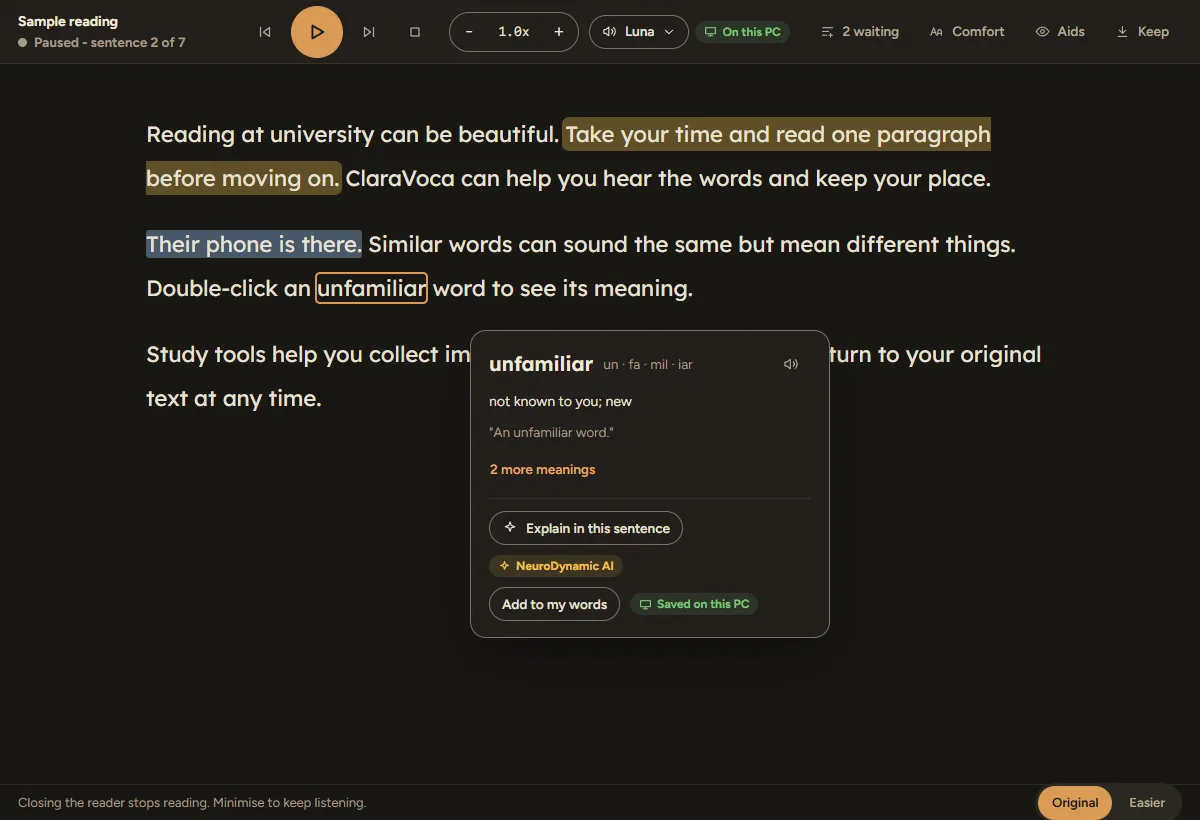
See a short meaning, hear it said, and add it to your own words. In Write, “check the meaning” spots words that sound right but mean something else, like “there” and “their”.

“Explain in this sentence” and the meaning check use NeuroDynamic AI.

A word's meaning shown in a small card over the reader, with options to explain it in the sentence or add it to your words
Example screen, ClaraVoca 1.22

Together

Speak with LexVoca. Read with ClaraVoca.

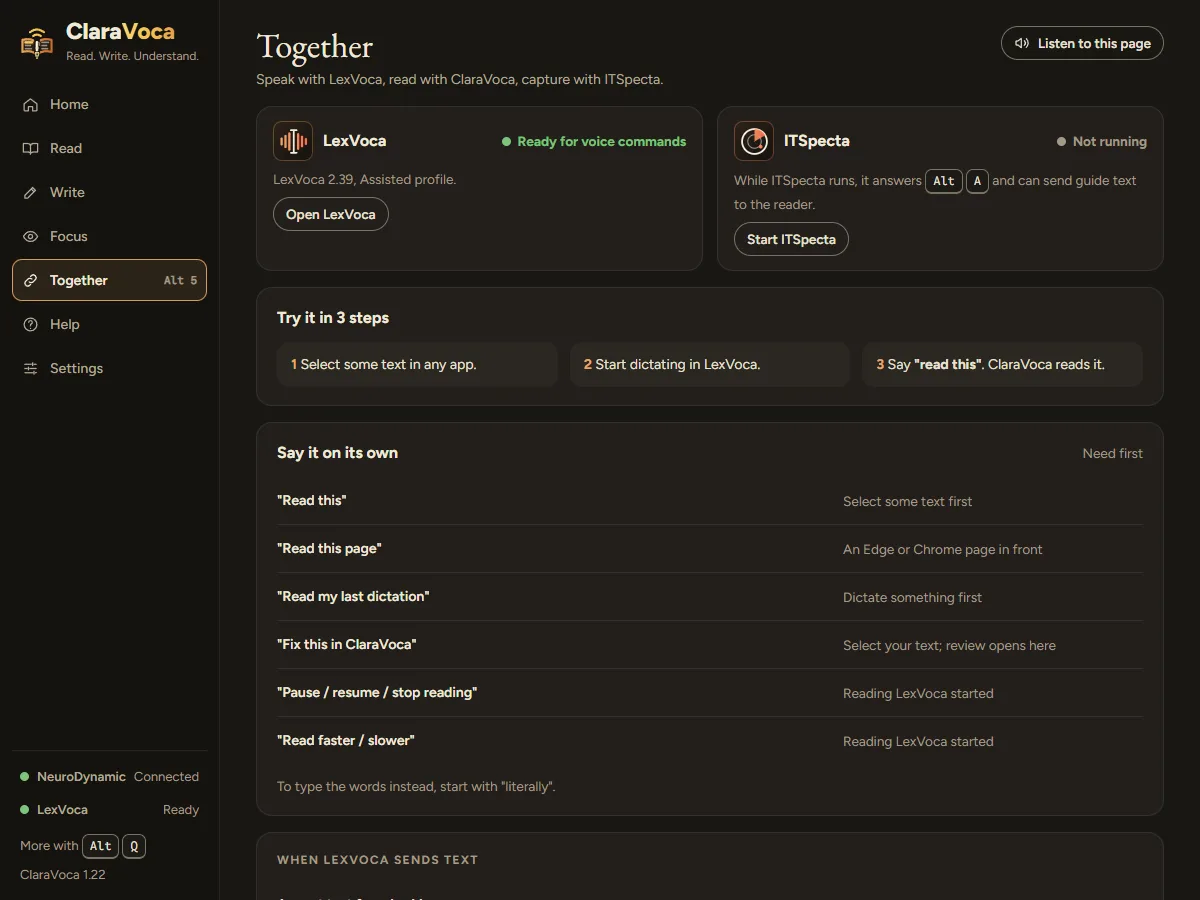
Say “read this” to LexVoca and ClaraVoca reads it. Say “fix this in ClaraVoca” and your text is handed over to check. One account and the same shortcuts across the family.

The Together page showing LexVoca and ITSpecta, three steps to read with your voice, and the phrases you can say
Example screen, ClaraVoca 1.22

Why ClaraVoca

Made for how you read.

Many dyslexic readers find hearing and seeing words together helps them follow and remember. ClaraVoca puts that one key away, everywhere.

Hear and see togetherEach sentence lights up as it’s read, so your eyes and ears stay on the same words.
Words in pictures tooMost read-aloud tools need text you can select. ClaraVoca reads what’s on the screen.
Sounds-like spellingBuilt for the spellings ordinary checkers miss, because it listens to how a word sounds.
Nothing changes without youEvery change is shown first. Apply all, one at a time, or keep yours.

Try it here

Click around ClaraVoca in your browser.

A guided tour of ClaraVoca 1.22, filled with example data. Click anything you like; nothing is saved, sent or installed.

Your choice

Offline, or with AI. You choose.

The same app either way. Switch whenever you like in Settings.

Spelling only, offlineFree, private and needs no account. Your writing never leaves your PC.For anyone who wants it simple and private.
NeuroDynamic AIAdds grammar, “check the meaning”, Explain and Easier versions, on our own servers, within your free account’s monthly allowance.For coursework, reports and anything dense.

Your words, your control

Private by default.

Get started

Listening in about a minute.

  1. 1Download and installFree for Windows 11, as soon as it’s ready. No account needed to start.
  2. 2Take the short tourA guided tour shows each tool where it lives. Replay it any time from Help.
  3. 3Select text, press Alt + Shift + CIn any app. ClaraVoca reads it to you.

What you need

  • Windows 11. There’s no Mac or phone version yet.
  • Speakers or headphones to listen.
  • For NeuroDynamic AI: an internet connection and a free NeuroDynamic account.
  • For offline spelling, reading aloud and screen text: nothing else.
  • Language: ClaraVoca works in English, with British or American spelling. Translation into other languages uses NeuroDynamic AI.

Comfortable for every mind

Made to be easy on you.

Built with neurodivergent people in mind, by someone who needed it.

Simple or DetailedSimple shows the tools. Detailed adds why each one helps.
Listen to any pageEvery page in the app has “Listen to this page” at the top.
Your fonts and spacingDyslexia-friendly fonts, larger text and calm light or dark themes.
Keyboard all the wayEvery control works from the keyboard, with a clear focus ring.

Help when you need it

Ask in your own words, step-by-step help for every page, and people you can ask.

Free, and fair

Free to download. Free to keep.

Free, no limits from usReading aloud, screen text, the tint and ruler, and offline spelling. No account needed.
Free accountAdds NeuroDynamic AI, with a monthly allowance shared across our apps.
Paid plansBeing prepared, for people who want bigger AI allowances. There’s nothing to pay today. Plans and pricing

Better together

Read with ClaraVoca. Speak with LexVoca.

LexVoca turns your voice into tidy text in any app. Use them together, with one account and the same shortcuts.

Meet LexVoca

Good questions.

When can I download it?

Soon. ClaraVoca will appear on the downloads page as soon as it’s ready.

Is ClaraVoca free?

Yes. Reading aloud, screen text and offline spelling are free with no account. The AI checks come with your free account’s monthly allowance.

Does it work offline?

Yes, for reading aloud with Windows or downloaded voices, screen text, the tint and ruler, and spelling. Grammar, Easier versions and explanations need your NeuroDynamic account.

Will it change my writing without asking?

No. Every change is shown first, side by side. You apply them all, one at a time, or keep your own.

Does it work with LexVoca?

Yes. Say “read this” or “fix this in ClaraVoca” and LexVoca hands the text over. Both use the same sign-in and the same Alt shortcuts.

Is it only for dyslexia?

No. It’s built with dyslexic and neurodivergent readers in mind, and it helps anyone who reads or writes a lot, or wants to rest their eyes.

Mac or phone?

Windows 11 for now.

Words, clear.

Coming soon for Windows 11 · free account, no card needed