Monitors, connections, scans, DNS, disk usage and how-to guides, in one portable window. Nothing to install, no admin rights, and your data stays on your PC. Free for individuals.
Coming soon for Windows 11. Linux version in development. The tour uses example data.
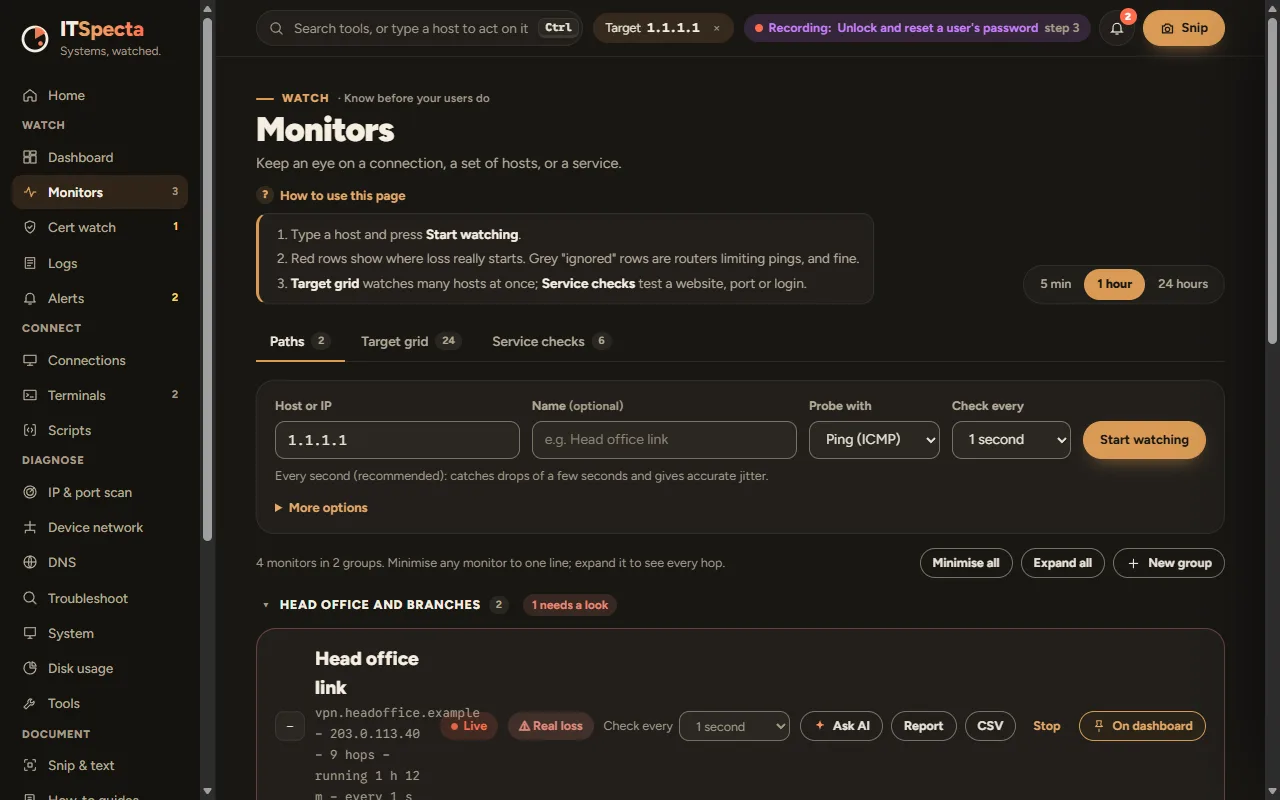
Monitorsvpn.headoffice.example
1192.0.2.11 ms0%
2198.51.100.98 ms0%
3198.51.100.3311 ms38%
4203.0.113.1714 ms0%
5203.0.113.4019 ms17%
6vpn.headoffice21 ms17%
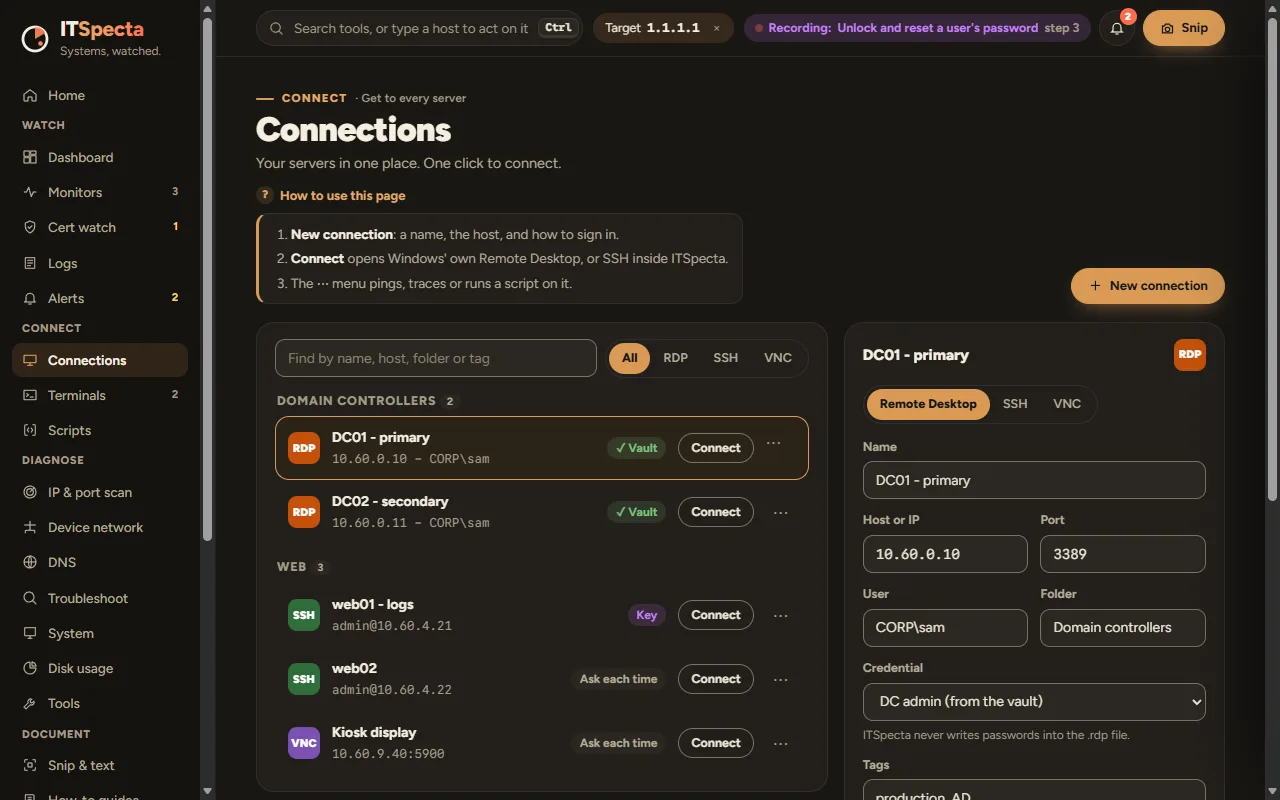
RDPdc01 · Domain controllersConnect
SSHweb01 · WebConnect
PSfs01 · Test port 445Run
›TcpTestSucceeded : TrueOpen
VNCkiosk-02 · Front deskConnect
.10dc0153 88 389up
.21fs01445up
.40web0122 443up
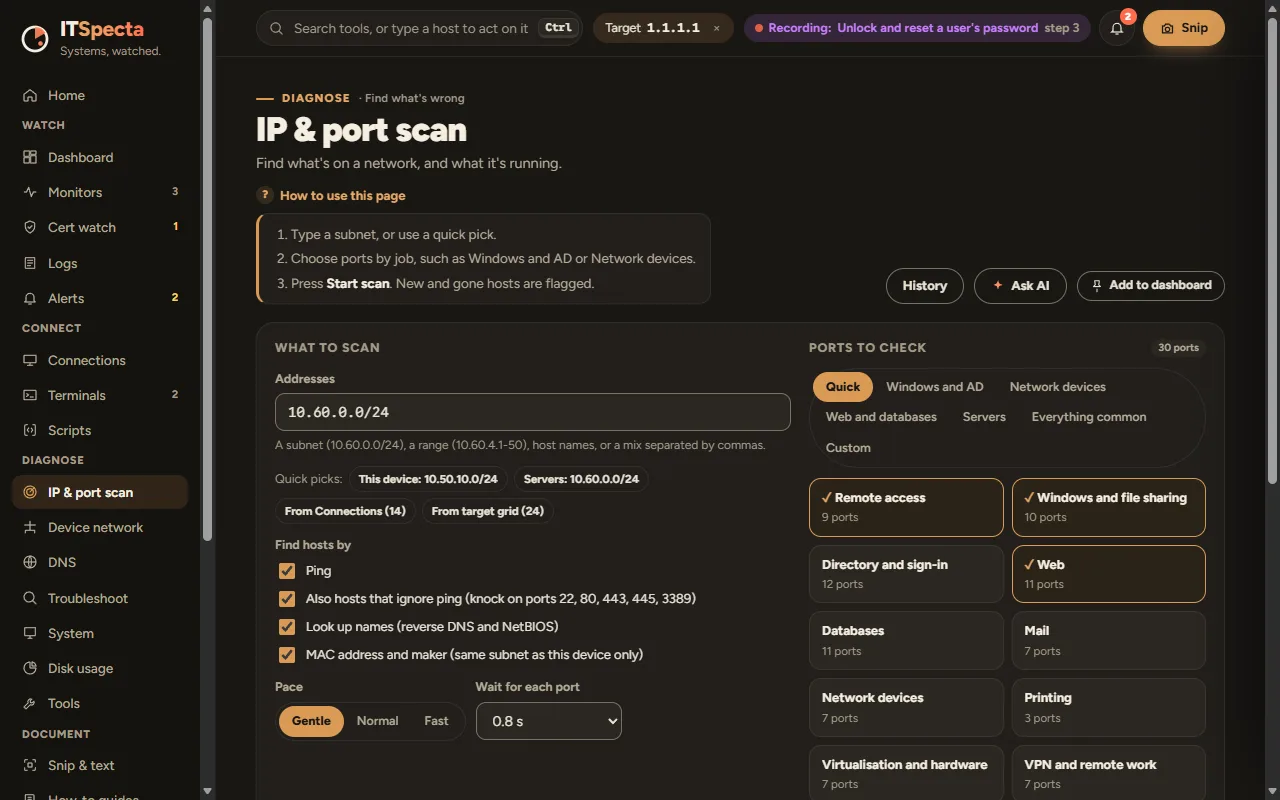
.57printer-3f9100new
.88unknown3389new
.92laptop-17–gone
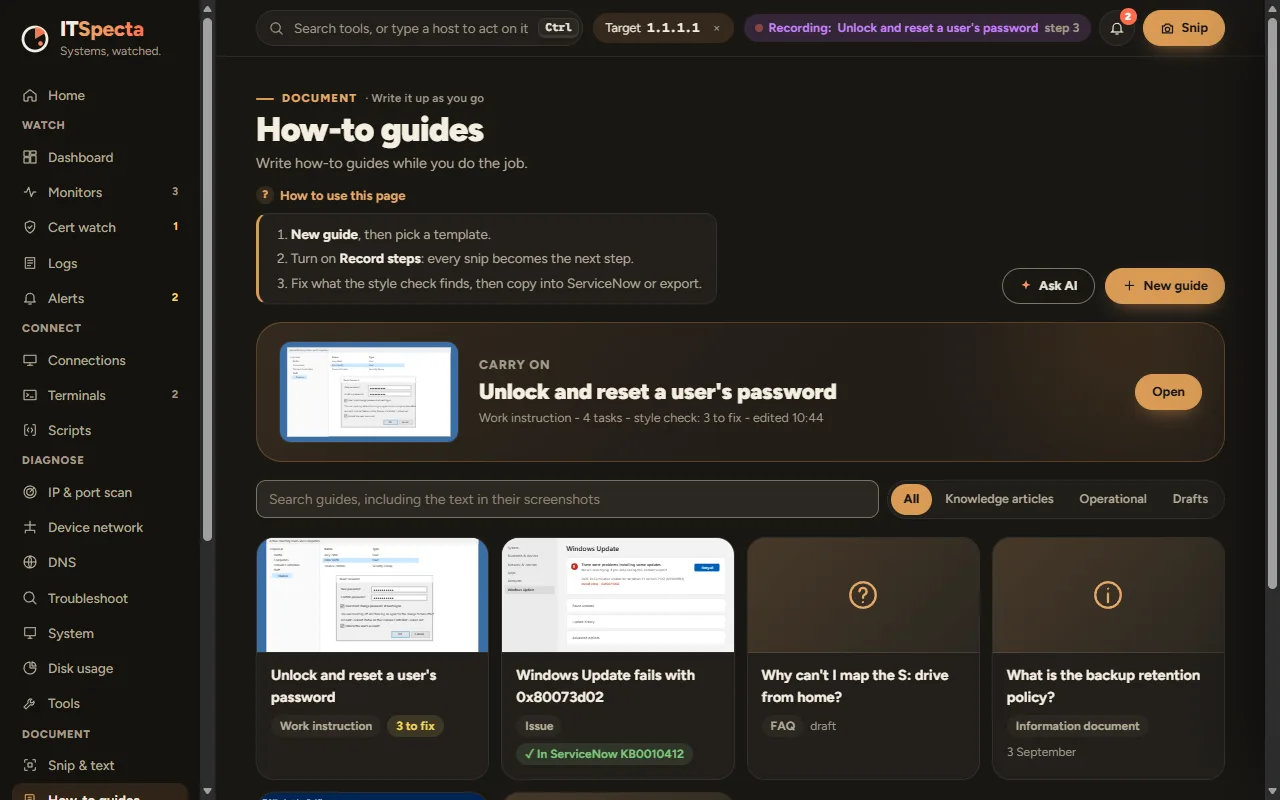
1Open Active Directory Userssnip
2Find the user: s.patelsnip
3Unlock accountsnip
4Reset password, must changesnip
✓Guide ready: Unlock and reset a password5 steps
Watching every second
One portable fileRuns from a folder or a USB stick.
No admin rightsNothing to install.
Your data stays putEverything lives on your PC. No telemetry.
Real loss, not noiseTells real loss from routers that ignore pings.
Snip it, get a guideEach step you snip becomes a how-to guide.
Ask AI, safelyRead-only questions. Addresses and names hidden first.
The tools you reach for every day, in one place
Ping and trace
Certificate checks
Event logs
RDP
SSH
VNC
PowerShell
Subnet scans
DNS lookups
Disk usage
SNMP walk
Screen snips
Every tool talks to the others, so what you find in one is ready in the next.
What it does
Get IT problems sorted.
Watch, connect, diagnose and document. The screens below are from the ITSpecta design, with example data.
Watch
Know before your users do.
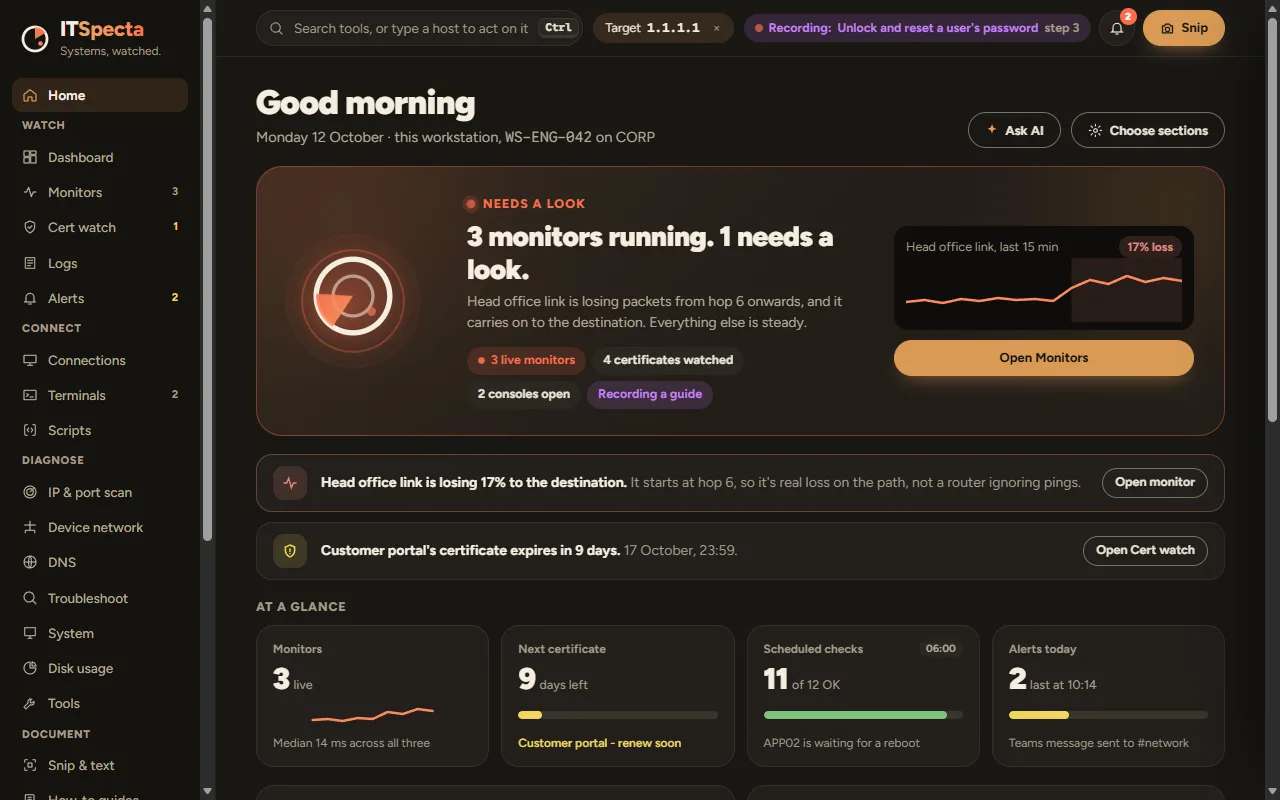
Home leads with the one thing that needs you, in plain words, and the button to go and fix it. A live dashboard sums up every monitor, certificate and alert, and each number links to the tool behind it.
You see3 monitors running. 1 needs a look.You get
The cause in plain words, and an Open monitor button.
Example screen, ITSpecta design
Monitors
Watch a connection, hop by hop.
Type a host and press Start watching. ITSpecta shows where loss really starts, and greys out routers that just ignore pings, so you chase the right problem. Watch a grid of hosts or check a service, too.
You watchvpn.headoffice.exampleYou get
“Real loss from hop 5. Hop 3 only limits pings.”
Example screen, ITSpecta design
Cert watch
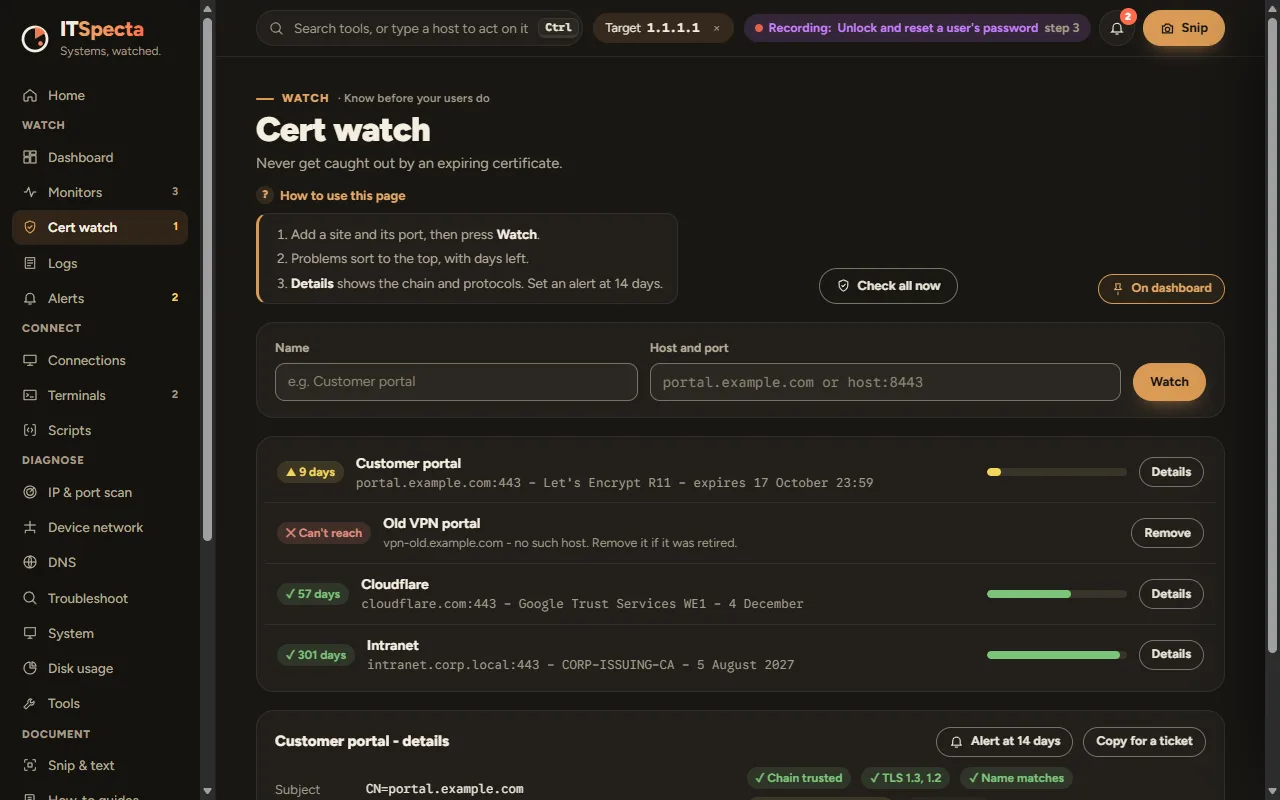
Never get caught out by an expiring certificate.
Add a site and its port and ITSpecta keeps an eye on the certificate, warning you well before it runs out.
Example screen, ITSpecta design
Connect
Every server, one click away.
RDP, SSH and VNC in one connection book, grouped the way you work. Terminals side by side, and scripts that show what they’ll do before they run.
Credentials are never shown on screen.
Example screen, ITSpecta design
Diagnose
Scan a subnet and see what changed.
Type a subnet or pick a quick scan, and see hosts, open ports and what’s new since last time. Trace a path, compare DNS servers, and read system details at a glance.
Example screen, ITSpecta design
Document
Snip as you work. The guide writes itself.
Snip each step while you fix something, and ITSpecta builds the how-to guide, ready to tidy and share. Keep an incident notebook and a scratchpad alongside.
You snip5 steps of a password resetYou get
A how-to guide with each screenshot and step.
Example screen, ITSpecta designSee 3 more featuresDNS, disk usage and logs
DNS
Ask several DNS servers at once.
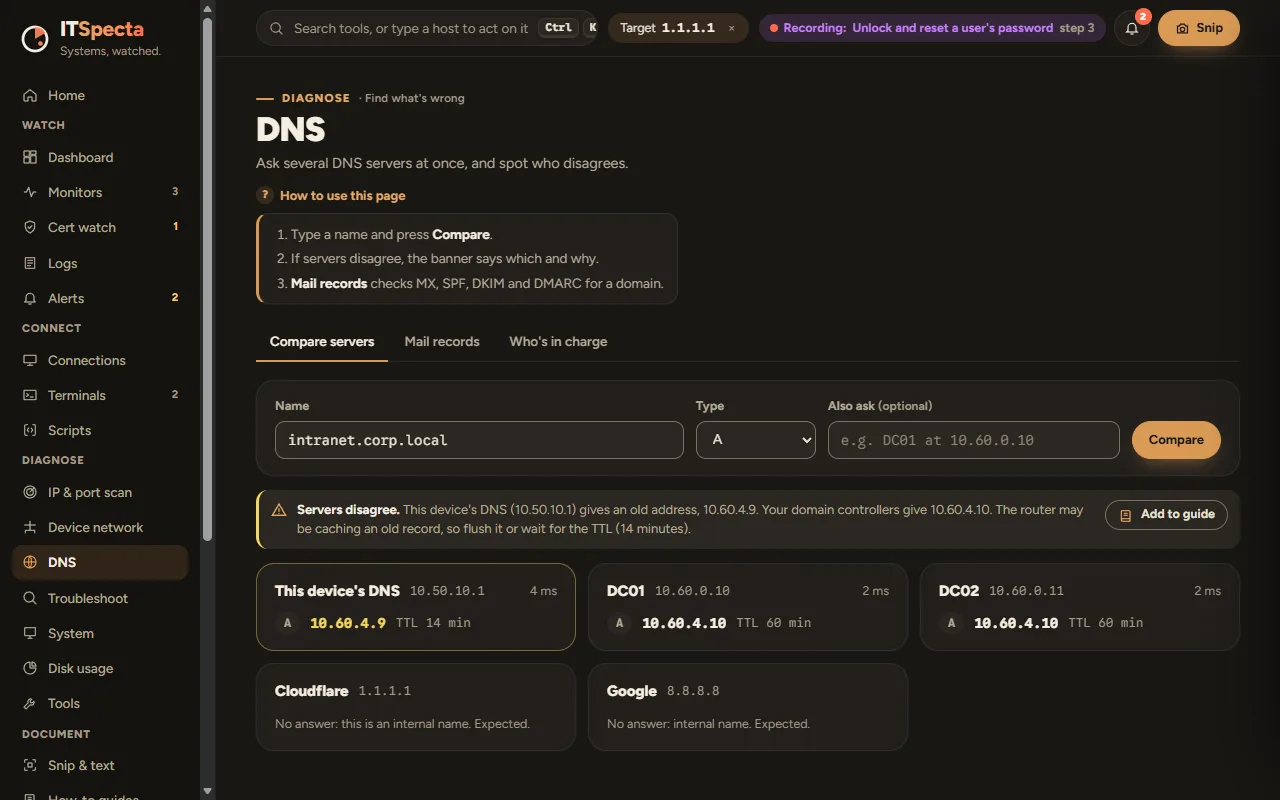
Compare answers side by side and spot when they disagree, with mail records checked for you.
Example screen, ITSpecta design
Disk usage
See what’s filling a drive.
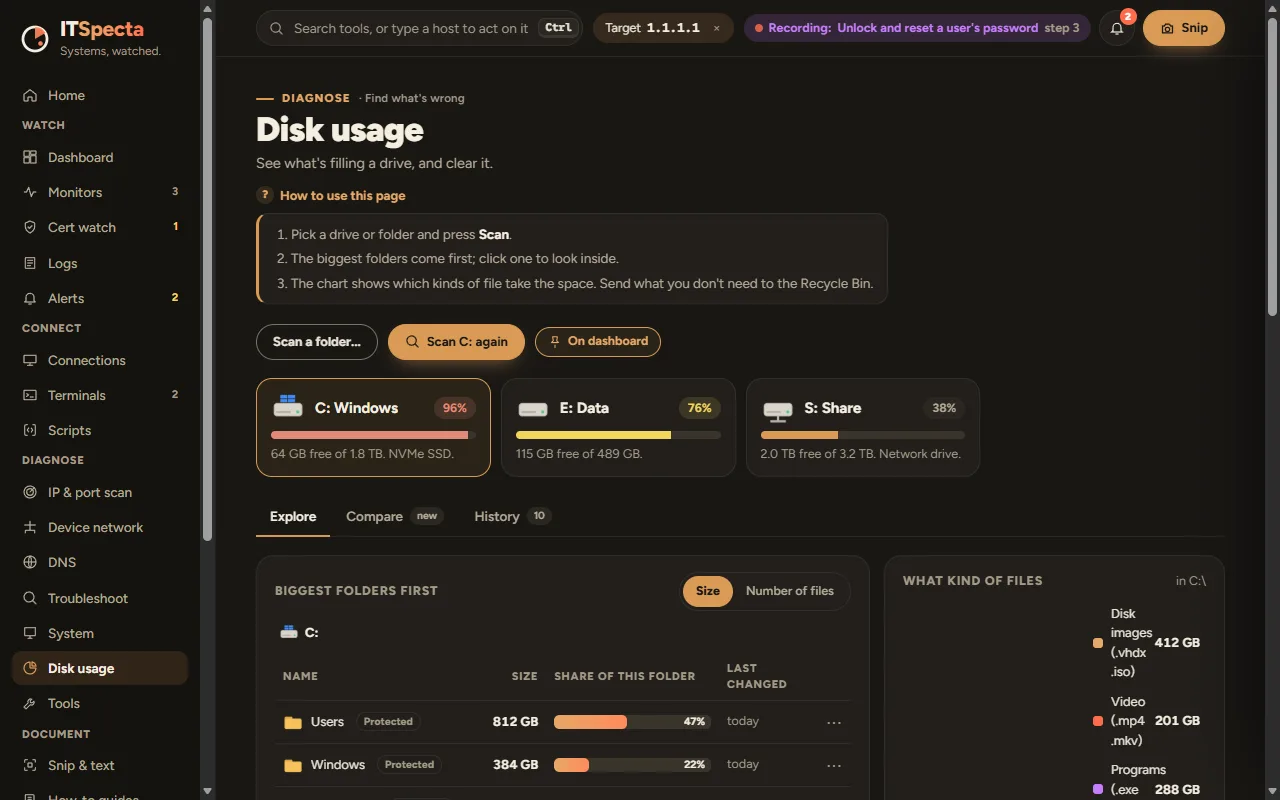
Scan a drive or folder and see the biggest folders and file types first.
Example screen, ITSpecta design
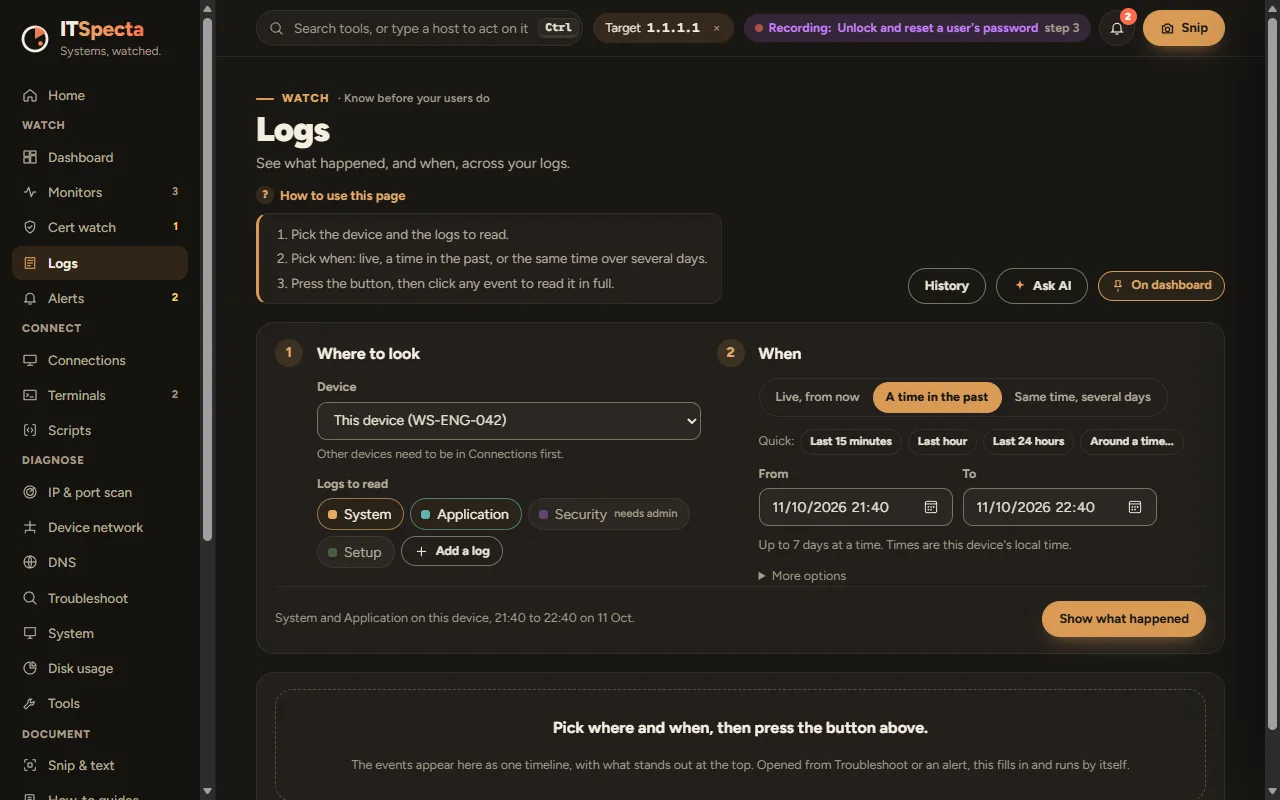
Logs
See what happened, and when.
Pick the device and the logs, then when: live, a time in the past, or the same time over several days.
Example screen, ITSpecta design
Why ITSpecta
Built the way IT people work.
Fewer tools. Less hunting.
One windowThe tools you open ten times a day, joined up, so what you find in one is ready in the next.
Plain answersIt tells you what’s wrong in plain words, not just a wall of numbers.
Carry it anywhereOne portable file. No install, no admin rights.
Your data stays putEverything lives on your PC. No telemetry.
Try it here
Click around ITSpecta in your browser.
A guided tour of the app, filled with example data. Click anything you like; nothing is saved, sent or installed.